|
||||||||||||

|
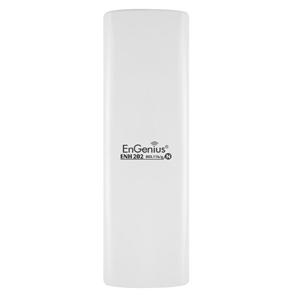
ENH202 Wireless-N Long Range Outdoor AP/CB |
||||||||||||||||||||
06-02-2013 Rev:10-03-2014
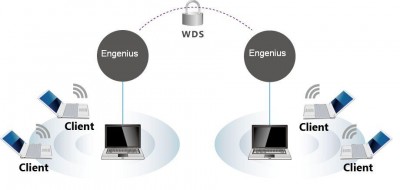
WDS AP mode with 2 devices (Repeater)
WDS functionality while in Access Point Mode will enlarge the wireless area by enabling WDS Link Settings.
Step1.
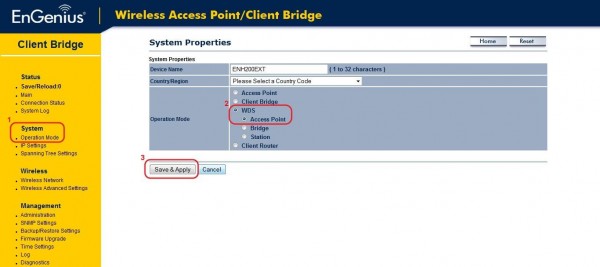
1. Select System > Operation Mode
2. Select WDS Access Point mode
3. Click the Save & Apply button
Step2.
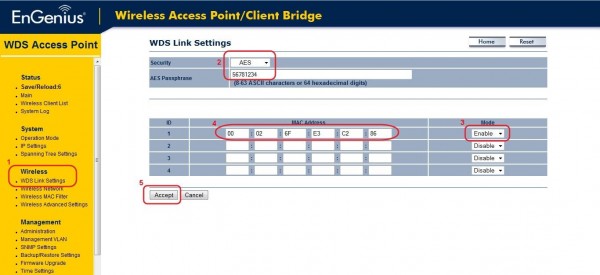
1. Select Wireless > WDS Link Settings
2. Select WDS encryption and fill in passphrase
3. Select Enable mode
4. Enter the desired AP MAC addresses
5. Click the Accept button
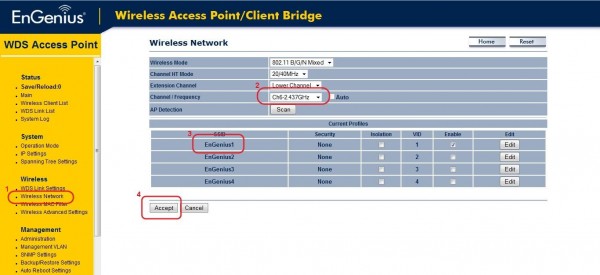
Step3.
1. Select Wireless > Wireless Network
2. Select Channel / Frequency
3. Select desired SSID
4. Click the Accept button
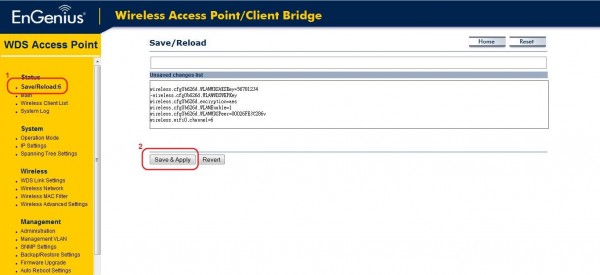
Step4.
1. Select Save/Reload: option
2. Click the Save & Apply button
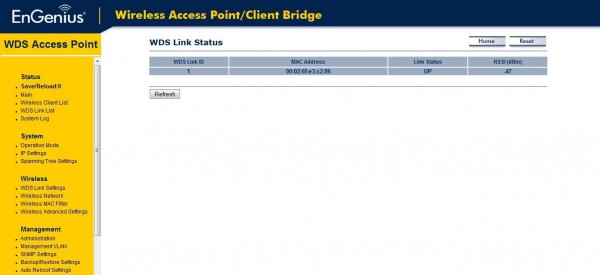
Step5.
1. Confirm status on the WDS Link Status page
|
|||||||||||||||||||||
| Copyright © 2011 EnGenius Data Communication Australia | Privacy Policy |